Camera EXIF Optimizer
Choose from 1,200+ mobile and digital camera models, including Apple, Canon, Nikon, Samsung, Sony, HTC, LG, Nokia and Google. Populate supported camera, lens, brightness, contrast, saturation and sharpness metadata in bulk.
AI can create an image in seconds. But what about the information inside the file? Mass Optimizer Pro V8 helps you bulk prepare images with camera EXIF metadata, geolocation, keywords, business details and URLs — plus powerful video, audio and citation tools.
Stop editing media one file at a time. Build complete, location-focused media campaigns from your desktop in minutes.
Windows desktop software · 1,200+ camera models · Bulk image, video and audio workflows
Real platform activity. Live running totals of media files optimized with Mass Optimizer Pro
Most SEO conversations focus on AI content, backlinks and rankings. Meanwhile, thousands of images are published with little thought given to their filenames, embedded metadata or location information. Mass Optimizer gives agencies and business owners a repeatable way to prepare that information at scale.
EXIF and GPS metadata are useful file properties, but they are not guaranteed Google ranking signals. Use truthful location and camera information and evaluate results as part of a wider SEO strategy.
The original Mass Optimizer feature set, brought together for Version 8.
Choose from 1,200+ mobile and digital camera models, including Apple, Canon, Nikon, Samsung, Sony, HTC, LG, Nokia and Google. Populate supported camera, lens, brightness, contrast, saturation and sharpness metadata in bulk.
Write latitude and longitude information, city references, keywords and other supported metadata across folders of JPEG images.
Import a CSV of locations and turn 10 images across 10 locations into 100 location-specific image outputs, with tailored names and metadata.
Rename JPEGs using search-term and city combinations. Add relevant keywords, descriptions, comments and URLs.
Add business name, address and phone details, unstructured citations and website links to supported metadata fields.
Work with existing spun text or article variations to prepare descriptive metadata across batches of images.
Bulk rename MP4s, work with keyword-based titles and descriptions, URLs and metadata, and prepare files for video publishing.
Generate multiple copies of video files for different campaigns and apply relevant titles and metadata to each output.
Optimize MP3 audio metadata as part of your broader media publishing workflow.
Use the included social citation tool alongside your local content and media campaigns.
Prepare keyword and metadata campaigns for multiple target languages and international markets.
Select folders, prepare campaign settings, save projects and repeat workflows without processing every file manually.
Explore real screens from Mass Optimizer V8. Click any screenshot to inspect the interface at full size.
Your images can carry far more information than their pixels alone. Mass Optimizer Pro V8 brings JPEG metadata preparation, geotagging and campaign naming together in one bulk workflow.
Turn folders of ordinary JPEGs into organised, metadata-prepared campaign assets. The image optimizer is the heart of Mass Optimizer.
See what's included in Version 8 →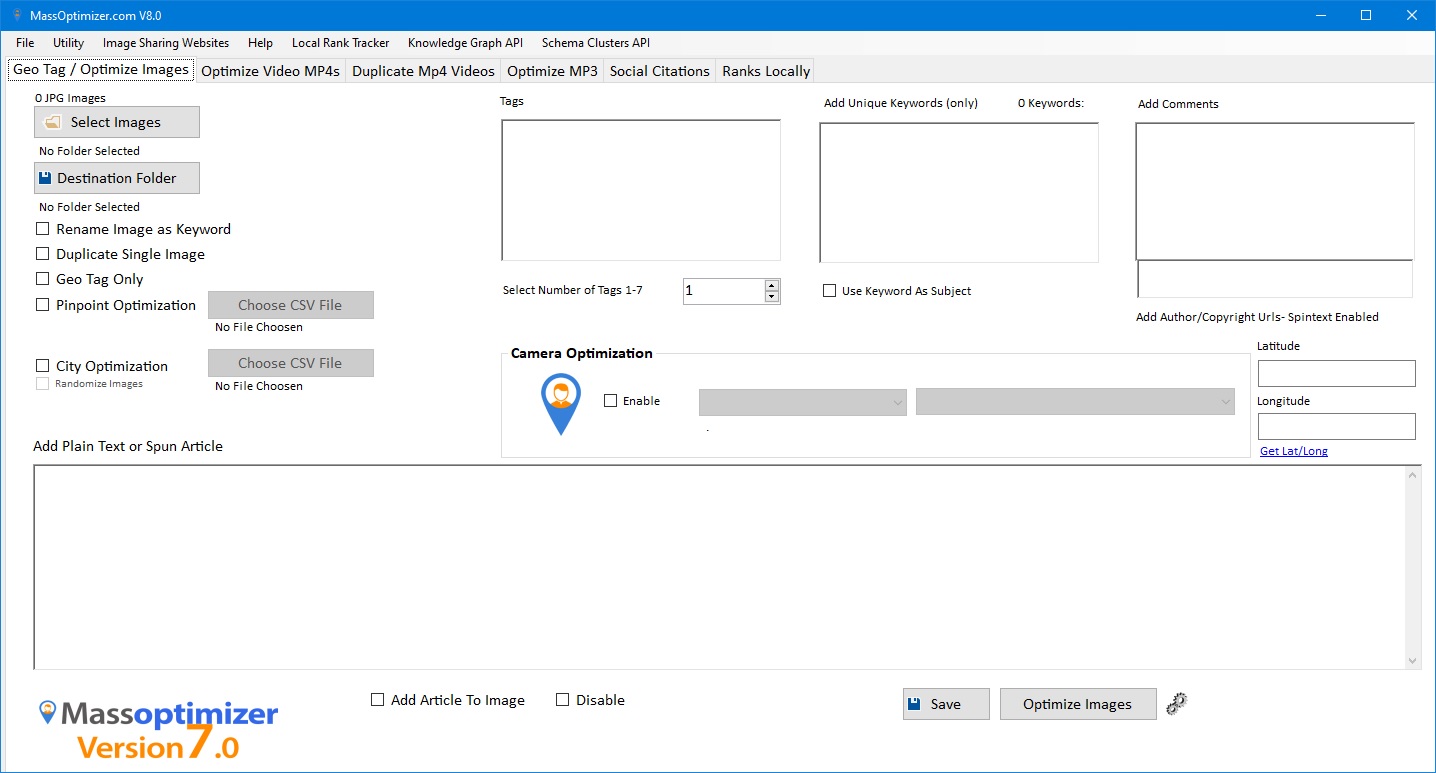
Video campaigns can involve dozens or hundreds of files. Instead of manually editing each one, use the MP4 optimizer to prepare supported metadata and filenames in batches.
Prepare consistent video assets for your publishing workflow — without repetitive manual entry.
See what's included in Version 8 →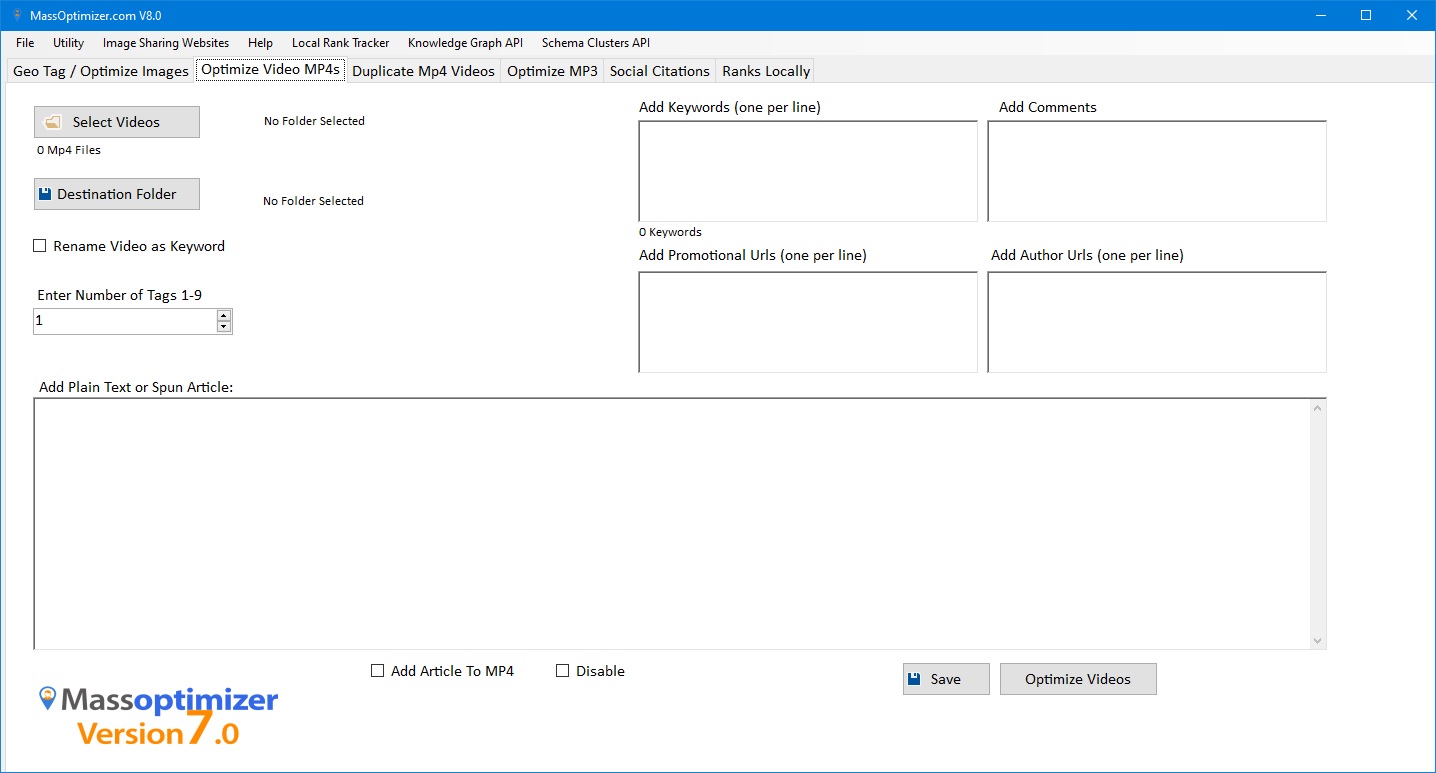
Need multiple video files for different publishing workflows? The built-in duplicator provides a straightforward way to generate the number of copies you require.
Duplicating files does not make content unique to search engines or guarantee additional reach; use variations appropriately for each platform.
See what's included in Version 8 →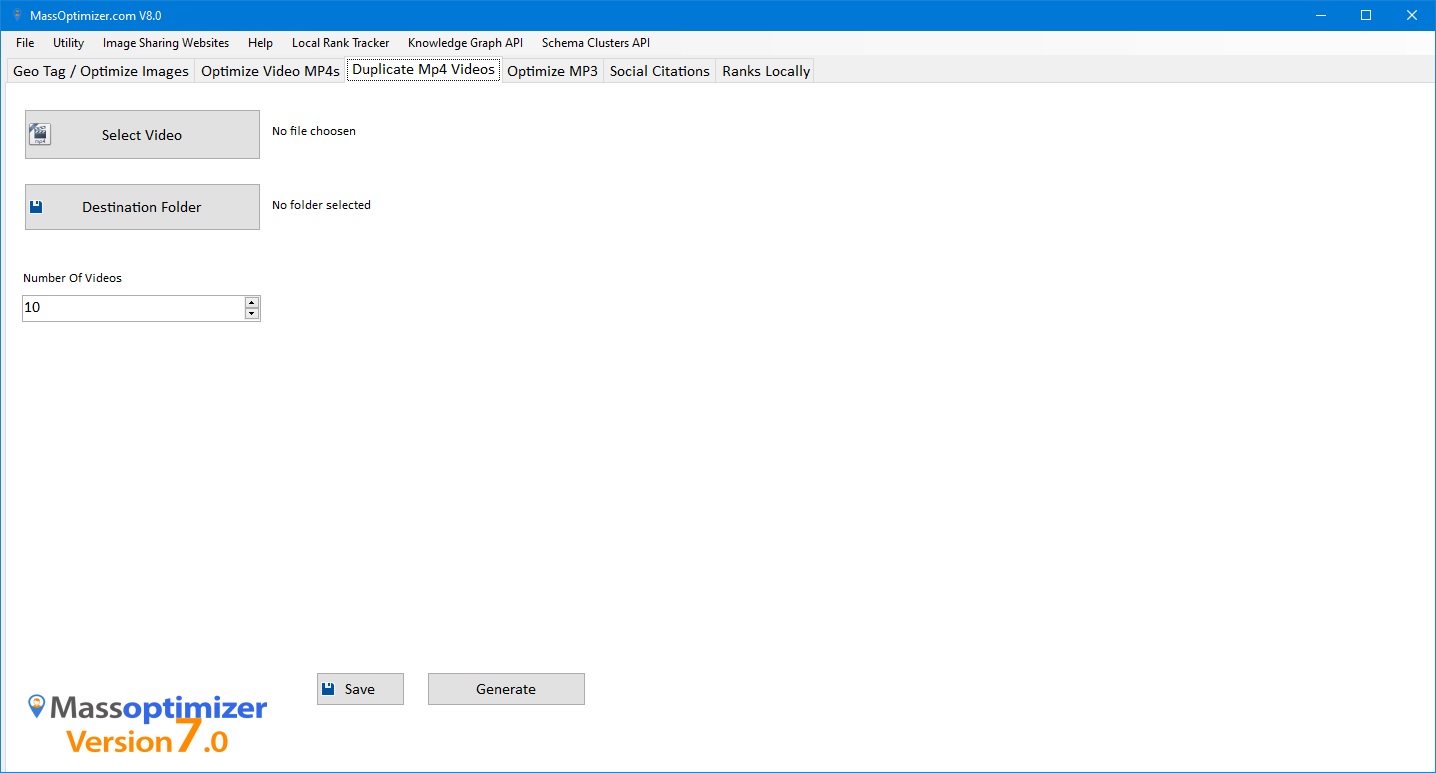
Mass Optimizer is not limited to images and video. The MP3 optimizer gives audio publishers a bulk workflow for adding descriptive information to supported audio metadata fields.
A useful addition for podcasts, spoken-word recordings and audio-led content campaigns.
See what's included in Version 8 →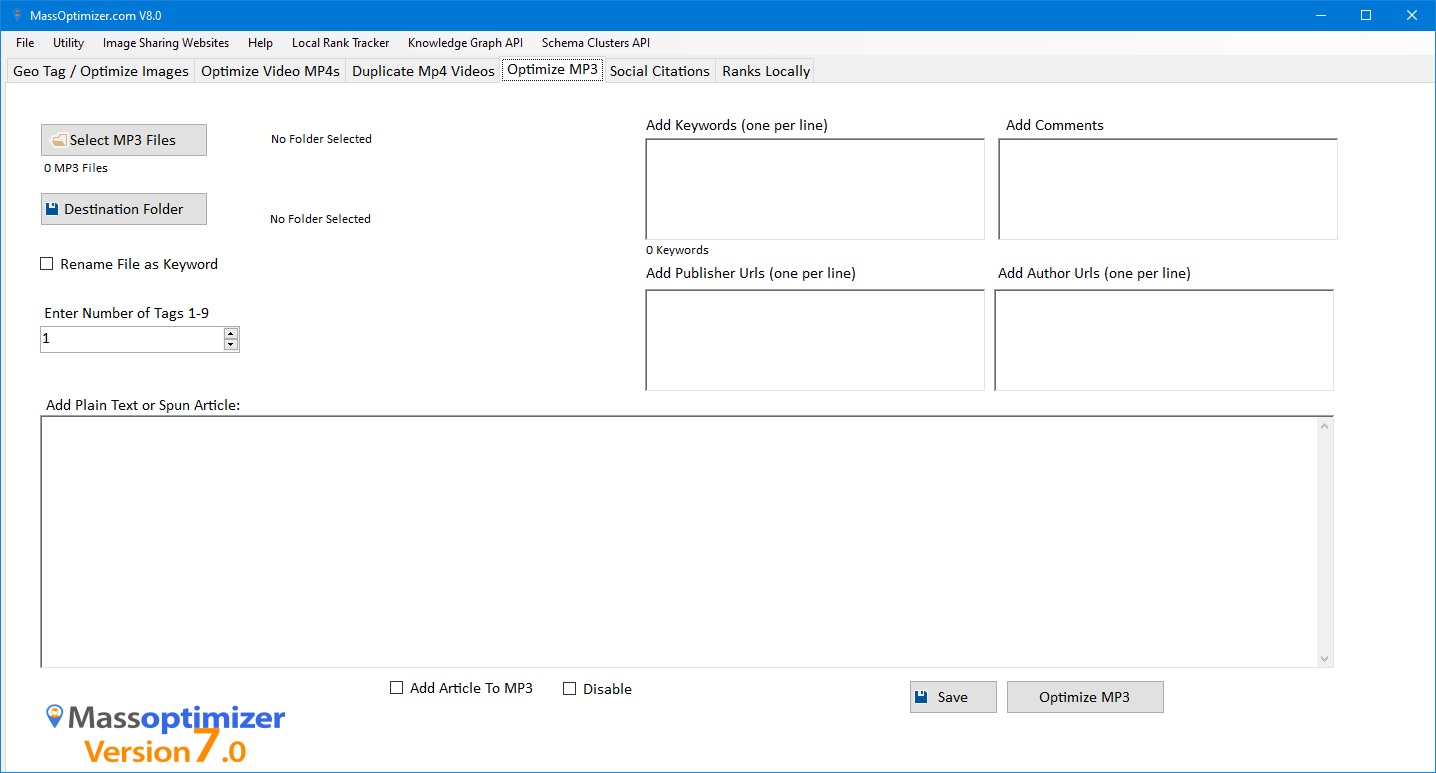
The Social Citations interface supports image-based citation preparation with network selections, logo branding, colour themes and CSV-driven workflows.
The screenshot shows citation-image creation options, not proof of automated publishing to every listed social network.
See what's included in Version 8 →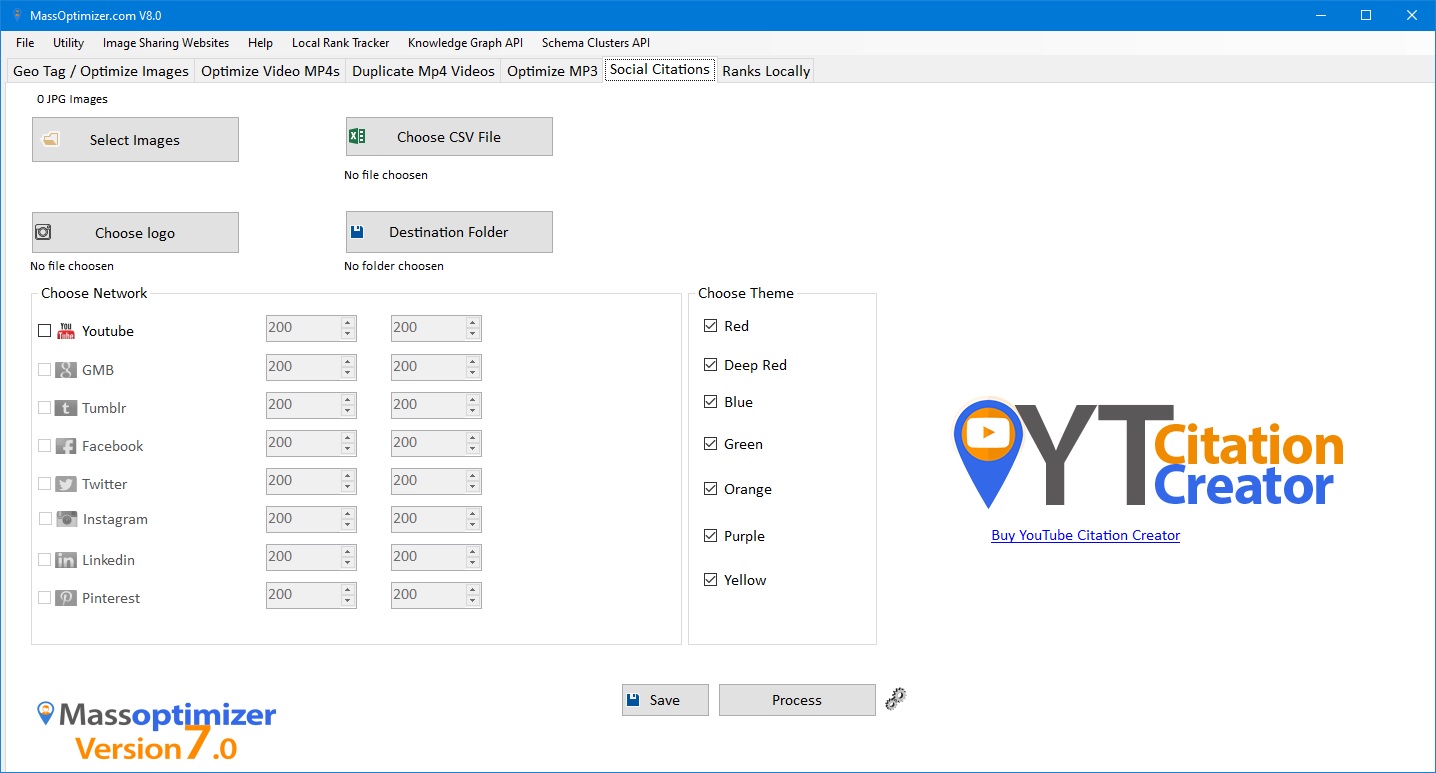
Have 10 images and 10 service areas? Use City Optimization to produce 100 location-specific outputs in one workflow. Apply city names, keyword-based filenames, coordinates and supported EXIF fields to each batch.
Ideal for agencies managing multiple business locations, service-area campaigns and large image libraries. You can import location data using CSV rather than manually repeating the same task.
See the five-step processImages × locations
Prepared image outputs
Mass Optimizer was built for bulk workflows. Select folders, prepare the campaign once, then process entire batches instead of opening and editing every JPEG individually.
Choose camera EXIF profiles, geotags, location-based naming, business citations and descriptive fields according to your campaign requirements.
Rename video files with targeted search terms. Add relevant descriptions, URLs and supported metadata to prepare videos before uploading to video platforms or websites.
Prepare multiple copies of a source video with campaign-specific names and metadata. Useful when maintaining separate video assets for different audiences or locations.
Use the bundled MP3 Audio Optimizer and Social Citations tools to support broader media publishing and local marketing workflows.
The original offer includes practical tools for preparing, cleaning, converting and publishing media. They belong on the sales page alongside the flagship image optimizer.
Resize individual images or entire folders by dimensions or aspect ratio; save to a new folder or overwrite as appropriate.
Remove existing EXIF metadata from single JPG files or batches before starting a new workflow.
Convert PNG files individually or in bulk, saving the converted output to a destination folder.
Included image variation utility for advanced campaign workflows.
Combine multiple Google Maps iframe embed codes for location-oriented pages.
Generate variations of YouTube embed syntax for different videos.
Prepare combinations of Facebook post embed code.
Mix and prepare tweet embed syntax for publishing workflows.
Prepare location-specific image assets for client campaigns and Google Business Profile workflows.
Organize and rename large libraries of product, service and editorial images efficiently.
Prepare MP4, MP3 and social media assets as part of repeatable publishing workflows.
One annual subscription. The core media optimizer plus the included tools and utilities.
All licenses are manually created, Please email support, include the email address linked to your payment.
Put your media preparation workflow on rails with Mass Optimizer Pro V8.
See What's Included →